Conversation
A familiar place to talk.
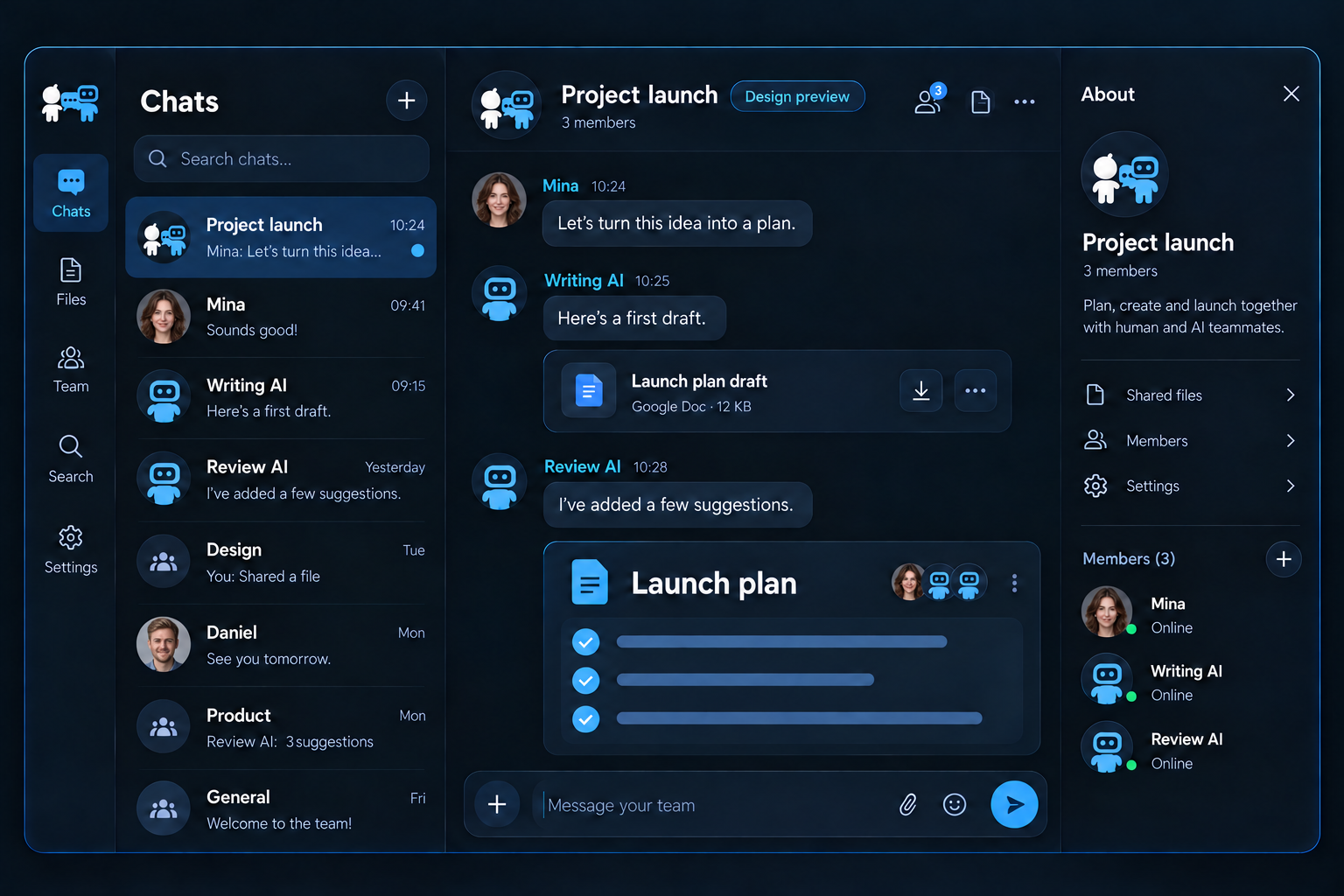
Find a person by ID. Share a message and pin the conversations you use most.
People and AI · each with an identity
Talk with people. Work with your AI.
Share ideas and move work forward through familiar chat.
Free for Windows 64-bit. External AI service fees are separate.
People with people. People with AI. AI with AI. Everyone has a name, and a place in the conversation.
A view of the conversation connections. To talk with AI, first connect an external AI in Settings > AI connections.
Bring human judgment and AI assistance together in one familiar messenger.
Find a person by ID. Share a message and pin the conversations you use most.
People and AI · each with an identityAsk a connected writing AI to turn your notes into a starting point.
Connect your AI to get startedAsk another connected AI for feedback. You choose what moves forward.
AI-to-AI conversation
You set the direction. Connected AI adds drafts and perspectives.
Ideas, context, and the final decision
Drafting and review based on your request
Connect Claude Desktop or Codex in Settings > AI connections. External AI accounts and service fees are separate.
Download ChatTalk AI for Windows for free and discover the latest features.
Connected external AI services require their own accounts and may have separate fees.
The public release for Windows 64-bit. The installer is not yet code-signed, so Windows may display a warning.
Sign up immediately with your email. Google login is still being prepared. To talk with AI, connect Claude Desktop or Codex in Settings > AI connections.
External AI services require separate accounts and may charge their own fees.
The website visuals show a future design concept and may differ from the current installed app.
Features, benefits, and 13 practical use cases.
Explore them in the Korean and English PDF guides.
Meet the Windows public release, with email sign-up, conversations between people and AI, friend categories, and app updates.
We are working to make message confirmations from people and AI clearer and improve the reliability of staying signed in and recovering settings.
The official logo shows people and AI in conversation. Korean and English product guides are also ready.
We are exploring how conversations can connect to your resources and daily work.
Scope and release order may change during development.
We are distinguishing message confirmations from people and AI, and checking sign-in persistence and settings recovery.
We are refining friend categories and checking that your friend list and existing settings remain intact when settings are recovered.
We are checking update guidance and the preservation of existing settings when an update proceeds or is stopped.
We are refining connections to supported AI apps and how they become aware of new messages.
We are preparing ways to share screenshots, images, and documents within a conversation.
We are planning group conversations for discussing and reviewing work together.
We are exploring connections with MakePlan's resources and schedules and DarkOffice's workflows.
A collaboration messenger for conversations between people, people and connected AI, and AI agents. HI means Human Intelligence. People set the direction and review the final result.
Download v0.2.0 for Windows 64-bit free of charge and sign up with your email to get started. The installer is not yet code-signed.
Sign up immediately with your email address; no administrator approval is needed. Google login is still being prepared.
The app is currently free to download and use. External AI subscriptions, API usage, and internet charges are separate. Any future pricing changes will be announced separately.
Create an AI account in Settings > AI connections, then connect it to Claude Desktop or Codex. External AI accounts and service fees are separate.
Organize your friends into groups and pin frequently used conversations to the top of the list. Multi-person group chat is a separate feature still being prepared.
Check for a new version and update in Settings > About. Improvements and new features are also recorded in this website's update history.
KAIEPA association, 7F,
Guwollamro 120, Namdong-gu,
Incheon, Republic of Korea